Rules

• No killing other players.*
• No stealing from someones property or from another players body.
• No raiding player bases or buildings.
• No damaging other players property.
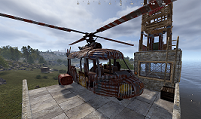
• Vehicle or helicopter theft is not allowed.

Exceptions*

Should you find yourself exercising any of these exceptions, please make an admin aware immidiatly afterwards. Failure to do so could result in a Ban!

• If a player is trying to kill you, you are entitled to defend yourself with leathal force. DO NOT loot their body. Report the body location to an admin ASAP.
• If a player is stealing from you, you are required to first try and be diplomatic to get your items back. If this is not possible and they try to attack you or get away, you can use lethal force.
• If a player is trying to Raid you or damaging your property, try and resolve the matter diplomatically first. If this is not possible and they continue, you can use leathal force.

Common Commands

  • Backpack

    With the Backpack plugin, you can store item securely, only tou will be able to access item in here. To open your backpack, hit the tab key and click on the backpack icon to the right of your tool belt. Items in your Backpack will carry over to the next wipe.

  • GUIShop

    GUI Shop is useful to buy items quickly and obtain items associated with DLC's. Top use GUI Shop, hit the tab key and click on the cart icon to the left of your tool belt. GUI Shop uses econmoics and tellls you how many $ you have. To get $'s, go to the Finances tab and sell scrap in your inventory, 1 scrap = $1

  • Sign Artist

    With Sign Artist, you can place images onto signs or picture frames in game for you and others to see (please please, no Porn on exteriors! LOL). To use Sig artist, grab the URL of an image you want to use, it must end in .jpg or .png. walk up to a sign/frame, open chat and type "/sil URLHERE.png" and hit enter, after a few seconds it will appear.

  • Remover Tool

    To use Remover Tool, type "/remove" in chat, look at the entity or structure (Wall, floor etc.) and a thumbnail with the refund amount will appear. Confirm its the right entity and left click. The item or resources (if a wall etc.) will now be in your inventory.

Security

  • Loot Storage

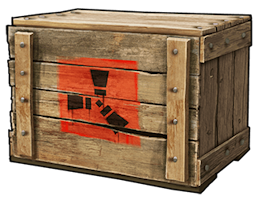
    Even on a PVE server with some Anti-Raid protections, try and setup your base with some secuirty in mind. Store loot crates in secure sections and use the Backpack plugin as much as possible.

  • Turrets

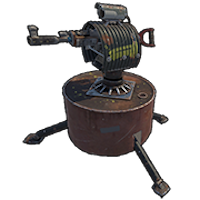
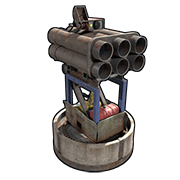
    We encourage the use of Turrets on the interrior of your base without restriction. For placing Turrets Externally (Where they can target players outside of your base), please Click "Learn More" as restrictions apply.

  • Other Traps

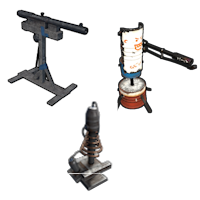
    Just like Turrets, there is no restriction with traps internally. Click "Learn More" for external placement as restrictions apply.

  • Smart Alarms

    Setting up smart alarms is a great way to know if someone unwanted is in your base. These can be added to the output of a HBHF, Siesmic sensor, lasers or even turrets. Once activiated an alert is sent to your phone. Rust+ App is required.

  • SAM Site

    SAM Sites are permitted but they must be set to "Peacekeeper" mode. Due to their nature, they will target player helicopters when in "Attack All" mode. Its often the SAM site see's the player before the player see's them. Understandibly this causes upset! SOme exception apply, Click "Learn More"

Discord

All communications are handled through discord. Please click below to join the Toberlone PVE UK Discord server.